BackflowCore

From annual reminder
to submitted report
and paid invoice.

Backflow testing software for owners, office staff and field teams. Bring customers back, organize visits, finish submissions and follow payment—with the customer’s history connected at every step.

$300/month · Up to five users · No card for a demo

See the handoffs. Follow the whole job.
1-minute narrated walkthrough · Selected actual product views · Fictional demo records
Read the walkthrough transcript

Your next backflow job can start before the customer calls. BackflowCore connects the work from a renewal reminder to a submitted report and a paid invoice.

Start with the assembly’s next due date. Prepare a personalized renewal message, review it, and approve it before sending.

When the customer responds, keep their locations, assemblies and conversation together. Prepare a quote and schedule the visit.

Assign the technician and organize the route. In the field, record device-specific readings on a phone and send the test for office review.

Those readings populate the authority’s configured PDF. Review the document, then email approved reports through the supported submission workflow. Authority portal requirements are checked separately.

Create the linked invoice and follow the balance. With Stripe Connect configured, customers can pay online. Prepare reminders for eligible unpaid invoices.

Keep the test, invoice and conversations with the customer. Maintain the next due date, ready for the next renewal.

See your own workflow in a guided demo. We’ll check your forms, your data and the setup your team needs.

One customer.
Every step connected.

Remind. Schedule. Test. Submit. Invoice. Renew.

Move the job forward without rebuilding the customer’s story at every handoff. Here’s how BackflowCore connects the work before, during and after the test.

Keep customers coming back.

Turn the next due date into the next conversation. When the customer responds, your team already has the history.

Customer & assembly records
Keep contacts, service locations, assemblies, access notes, test history and next-due dates together.
Renewal reminders by email or text
Build monthly reminder batches from upcoming assembly due dates. Personalize messages, review recipients and approve before sending.
Conversations, quotes & follow-up
Record the call, prepare a quote and set a follow-up date. The next person helping that customer can pick up the conversation.
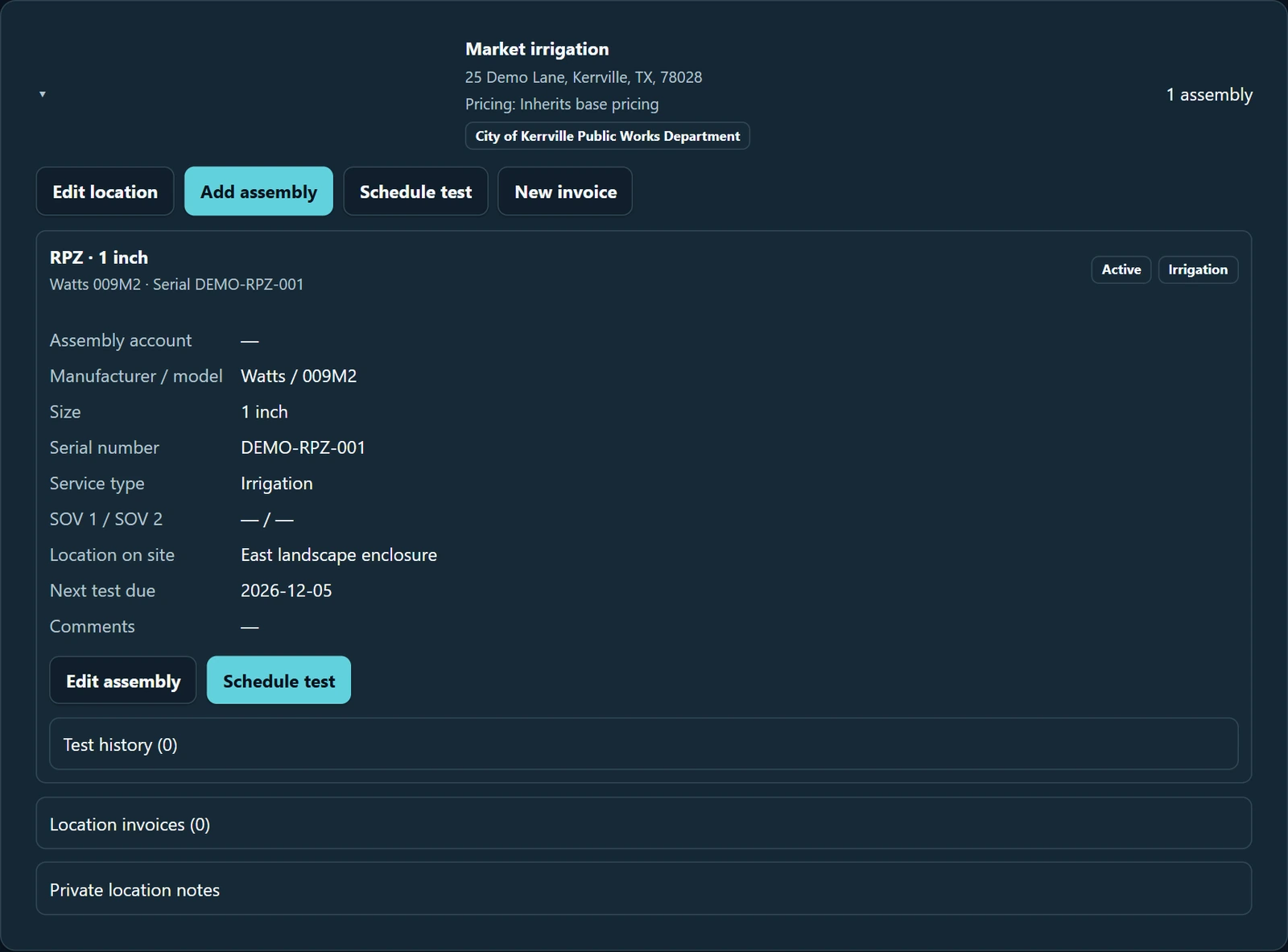
Actual product customer location and assembly, with service details, test history and the next test due date connected to the customer
The customer, the assembly and the next due date stay connected. Actual product; fictional demo records.

Give the field a plan. Keep the office in sync.

Take the work from a customer request to an assigned visit, with the details the technician needs to get started.

Scheduling & technician assignments
Plan upcoming tests, hold unassigned work while you organize the day, then assign visits to your technicians.
Routes with service context
Arrange the day’s stops with customer, location and assembly details close at hand. Keep access notes attached to the work.
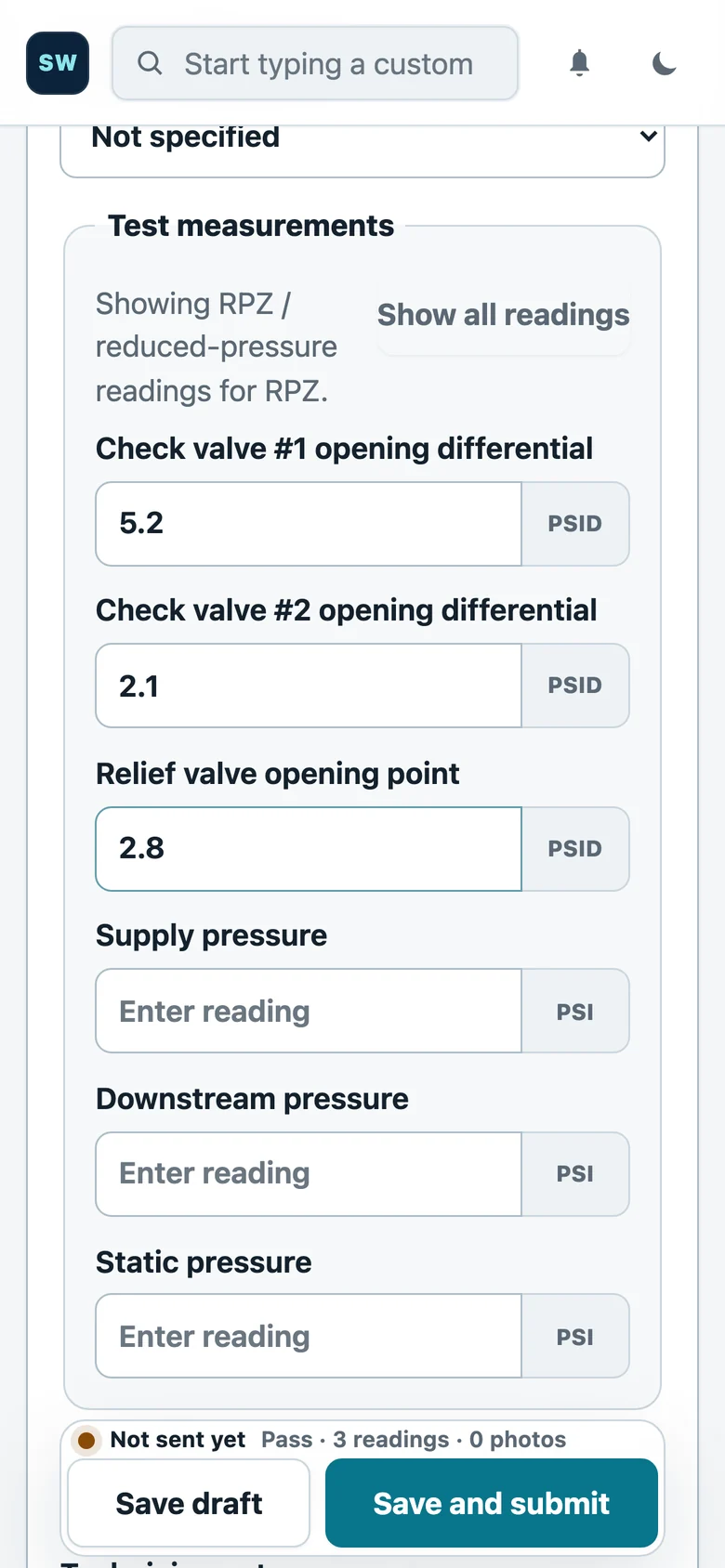
Mobile field testing
Open assigned work on a phone, enter readings for the assembly type and save a draft or submit the test for office review.
Actual mobile backflow testing screen with assembly details and device-specific fields populated with fictional test readings
The technician records readings in the actual mobile workflow. Fictional demo records.

Take the report all the way to submission.

A completed test is the start of the office handoff. Prepare the right document, review it and send it through the configured submission workflow.

Your readings in the authority’s form
Populate configured municipality PDF forms from the test record. Review the completed report before it goes out.
Email report submission
Send approved reports to configured authorities by email. Track queued, sent and failed messages so the office knows what needs attention.
Approval & payment checks
See report approval, invoice payment and submission eligibility together. Keep control of what is ready to send.

We confirm each authority’s forms and delivery requirements. Authorities that require their own portals need a separate submission path.

Real City of Kerrville TCEQ-20700 backflow test report populated with fictional customer, assembly, test, gauge and tester details
Actual authority form filled with fictional demo data. Not for submission. Open the completed report PDF

Invoice the work. Collect payment. Stay connected.

Keep the financial follow-through attached to the job—and the customer relationship ready for the next service cycle.

Linked invoices & receivables
Create invoices from eligible approved work. Keep invoice status, balances and customer history connected to the test.
Online customer payments
Offer online payment through Stripe Connect when your business has completed provider setup. See payment status alongside the work.
Unpaid-invoice reminders
Prepare personalized reminders for eligible unpaid invoices. Review the batch before sending; eligibility is checked again as payment status changes.
History for the next renewal
Retain tests, invoices and conversations. Maintain the assembly’s next due date so next year’s outreach starts with the full customer picture.
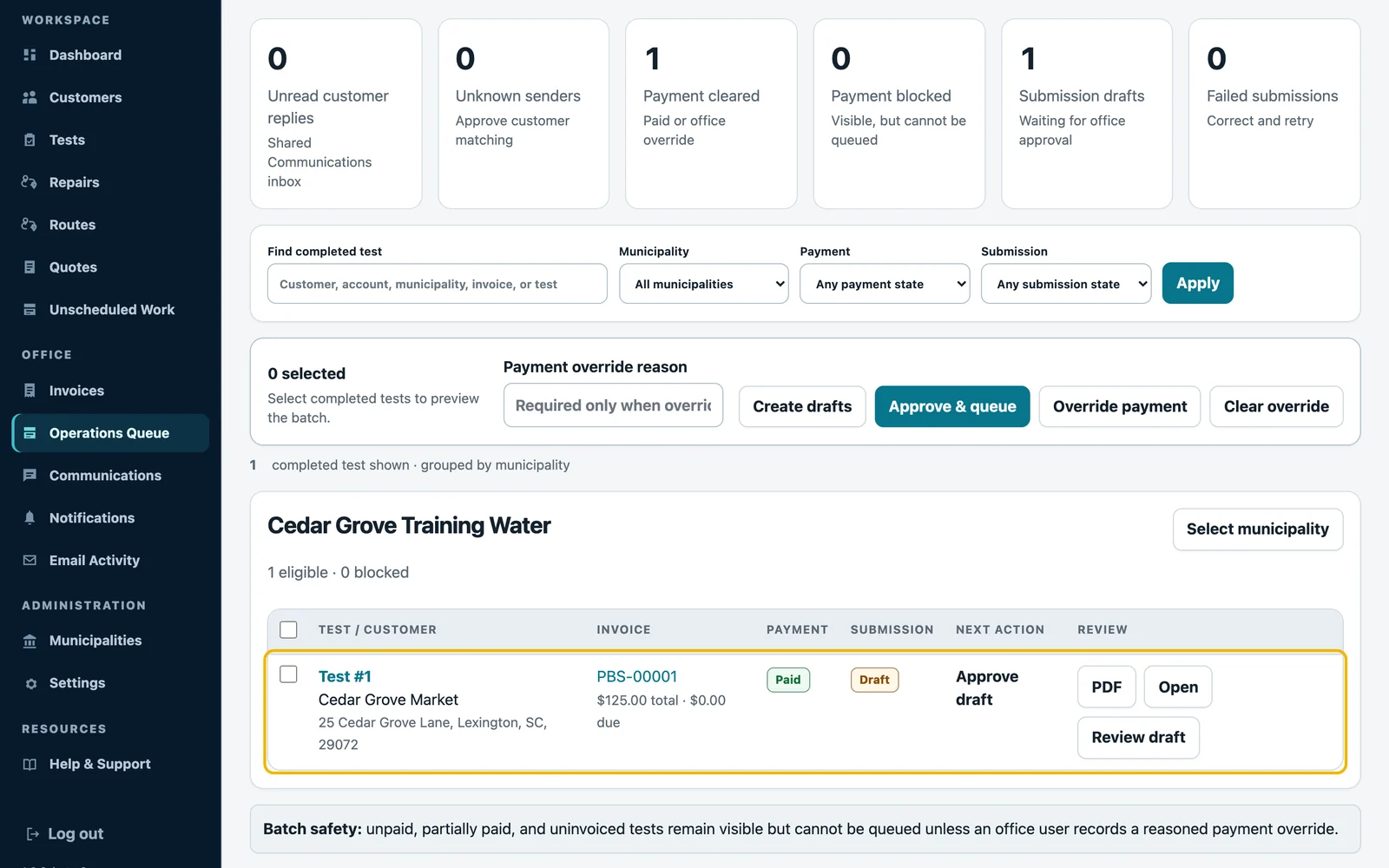
Actual operations queue linking a completed fictional test, paid invoice, report submission draft and office review actions
A completed test, linked invoice, payment state and report submission in one office view. Actual product; fictional demo records.

Your team stays in control. Reminder batches require approval by default; automatic sending is separately enabled. Email and SMS need configured providers, and SMS needs customer consent. We walk through your forms, reminder rules and payment setup during onboarding.

Make the switch
with a clear plan.

Your forms. Your records. Your way of working.

Before you subscribe, we walk through a representative job and confirm what your team needs to get started.

Request your workflow demo

Will it work with my water providers?

Send your authority list. We check the forms and submission path for each provider, including any external portal requirements.

Can I bring my customer records?

We review your current system and a sample export before agreeing the migration scope. Jobber customer CSV imports include preview and validation; other formats need review.

What will setup involve?

We review your team, forms, reminder rules and payment needs, then confirm timing and any additional work. Email, SMS and online payments need their provider setup.

Who can I talk to?

Contact the BackflowCore team directly about your workflow, setup or a product question.

One plan for the whole team.

Customer records, renewal reminders, scheduling, field testing, reports, submissions and invoicing. A connected workflow for the office and the field.

Keep the next renewal in view, the office aware of unfinished work and payment follow-up attached to the customer.

What’s in the plan

$300/ month

Up to five users

Request your workflow demo

Provider fees and any additional import or form work are confirmed separately. See the full plan before signup.

See your workflow—from renewal to payment.

Bring your authority list and current process. We’ll walk through the handoffs, check the forms and explain the setup. Send a request and the BackflowCore team will email you to arrange the demo.

Request your workflow demo